Tips & Guides
App for Personal Trainers: What It Has to Do for the Client
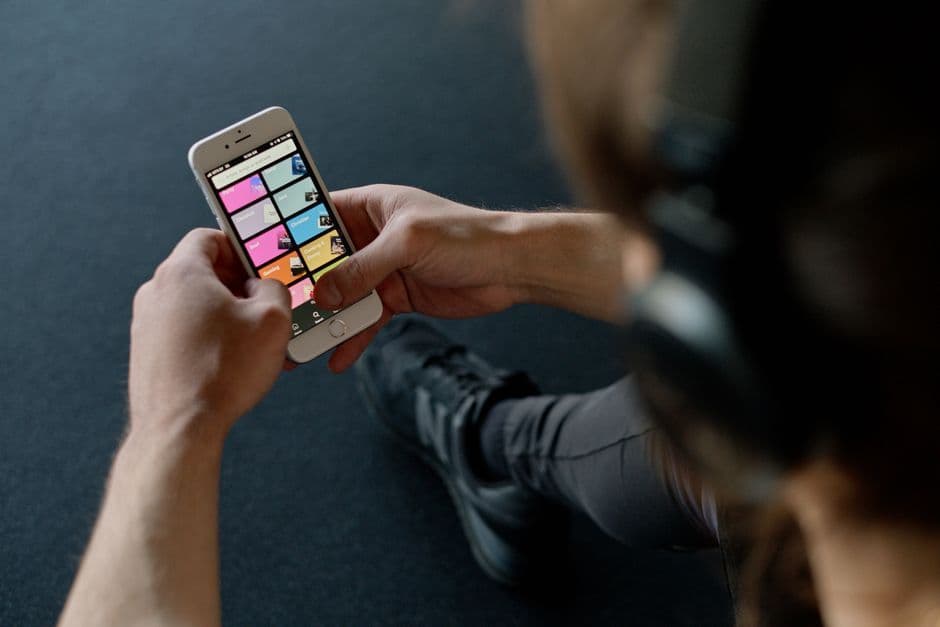
A good app for personal trainers has two jobs, and only one of them shows up in most reviews. The back office half handles bookings, payments and client lists. The half that decides whether clients get results is the client side: the program, fast logging with last session's numbers, clear exercise demos, visible progress and an easy line to the coach. If the client side is weak, the business tools do not matter, because the client stops opening the app.
A quick note on who is writing this. FitCultInc is a coaching business with its own app, and we are not here to rank trainer platforms. We coach clients through our own app, so this is the view from the side of the screen most comparisons skip: what the person being coached actually needs.
What should an app for personal trainers actually do?
For the client, five things: deliver the program, make logging fast, show progress, demonstrate the exercises and keep the coach close. Everything else is nice to have.
- Deliver the program. Today's session, written by the coach, ready to go. No rebuilding it from a PDF.
- Make logging fast. Sets, reps and weight entered in seconds, with last session's numbers on the same screen.
- Show progress. Personal bests, lift history and body measurements over time, so a client can see that the work is working.
- Demonstrate the exercises. A short video beats a paragraph of cues when you are mid session and unsure.
- Keep the coach close. Messages in the same place as the training, so a question does not get lost in a text thread.
The trainer side, scheduling, billing, templates, client dashboards, earns its place by making those five things easier to deliver. It is the engine room. The client side is the ride.
Why does logging matter so much?
Because progress you record is progress you are more likely to make, and because progressive overload needs a number to beat.
A meta-analysis on monitoring goal progress found that interventions which increased how often people monitored their progress improved goal attainment, and the effect was larger when the progress was physically recorded and when it was reported to someone else. That is a fair description of a client logging sets that their coach can see.
Then there is the training itself. The ACSM position stand on resistance training progression recommends adding load once you can perform one or two reps beyond the target. You can only apply that rule if last session's numbers are in front of you. An app that buries the history three taps away makes the most important decision of the session a guess.
What does a client need to see on screen?
The session, the numbers to beat and the next action. If a client needs to hunt for any of those, the design has failed.
In practice that means today's workout at the top, each exercise showing what was lifted last time, a clear marker when a personal best lands, and a demo one tap away. Between sessions it means measurements and lift history that read as a trend, not a spreadsheet, and a message thread that lives next to the program rather than in another app.
If you are a client comparing setups, or just want a solo logger, our guide to the best app to track workouts covers what matters in a tracker. The difference with a coaching app is that somebody is reading the log.
What can an app not replace?
Judgement. An app can record twelve weeks of stalled numbers perfectly and never say a word about it. A coach notices the stall, works out why and changes the plan.
That is the difference between online personal training and a downloaded program with a nice interface. The app is the delivery system. The coaching, the programming decisions, the weekly honesty about what is and is not working, is the product. Trainers choosing software should judge it on one thing: whether it makes that coaching easier to deliver, and easier for the client to follow.
How does the FitCult app work for clients?
It is where our coached clients train. The app is invitation only at the moment, and it runs in the browser on any phone or laptop, so there is nothing to install.
Inside it, your coach builds your program and updates it as you go. When you log a set, last session's numbers sit beside it so you know exactly what to beat, and new personal bests are flagged as you hit them. Exercises come with demonstration videos. Your body measurements build into a history you can see trending over time, and you message your coach in the same app, between sessions. That is the whole idea: the log and the plan in one place, with a coach on the other end of both.
FAQ
Do clients need to download anything?
Not for the FitCult app. It opens in the browser at app.fitcultinc.com. Other platforms vary, so check whether yours needs an app store download before you invite clients.
Is an app enough without a coach?
For logging, yes. For progress, rarely. A log tells you what happened. A coach tells you what to do next, which is where most people get stuck.
What matters more, features or ease of use?
Ease of use, every time. Logging happens between sets, with tired hands and a rest timer running, so every extra tap is a reason to skip it. A feature nobody can find is not a feature.
Train inside the app
If you want to experience a coaching app from the client side, with a FitCultInc coach writing your program and reading your log every week, start with our online fitness coaching guide or go straight to body transformation coaching. Already have an invite: open the FitCult app. Not yet: request one on our app page.
Built, not born.
Train with a FitCult coach
A program written for you, logged in the FitCult app, with your coach a message away.